
iOK mobile app
How SMS consent works
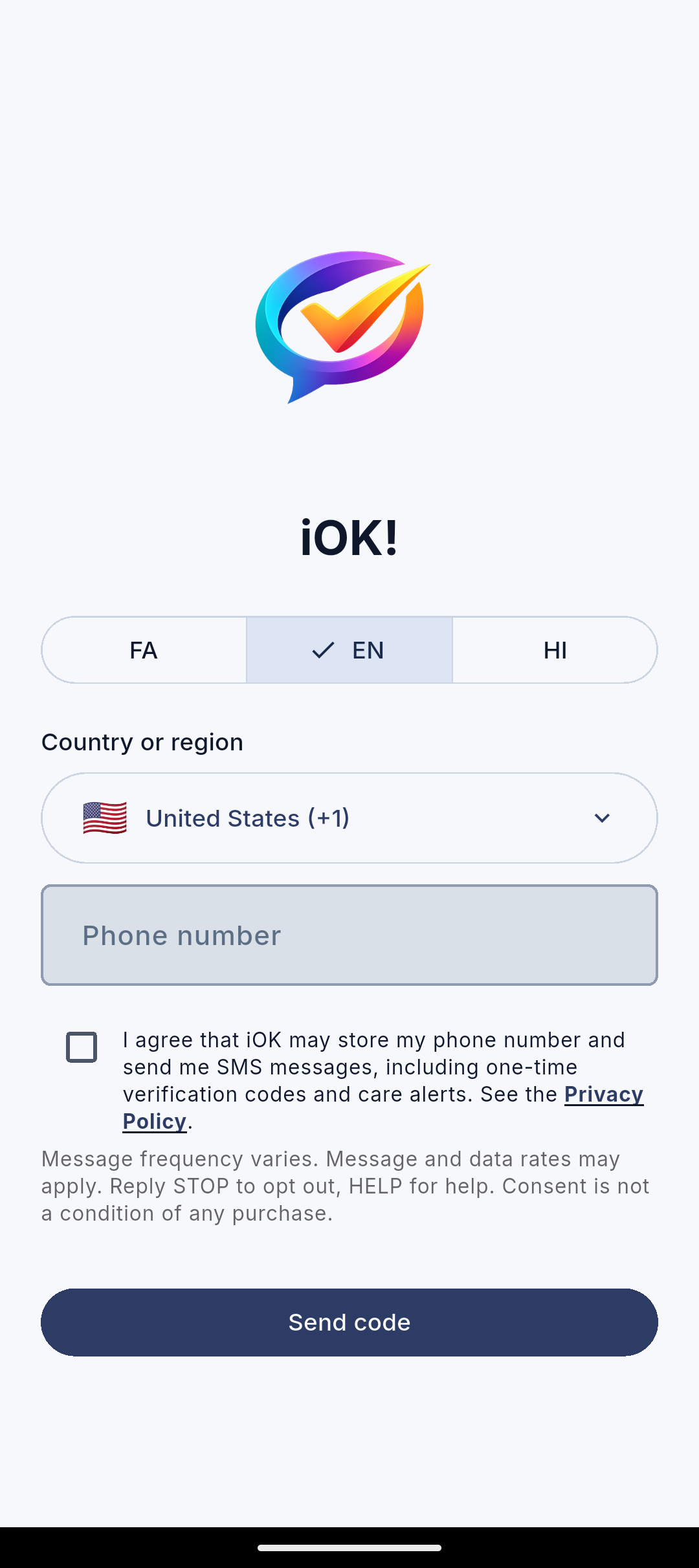
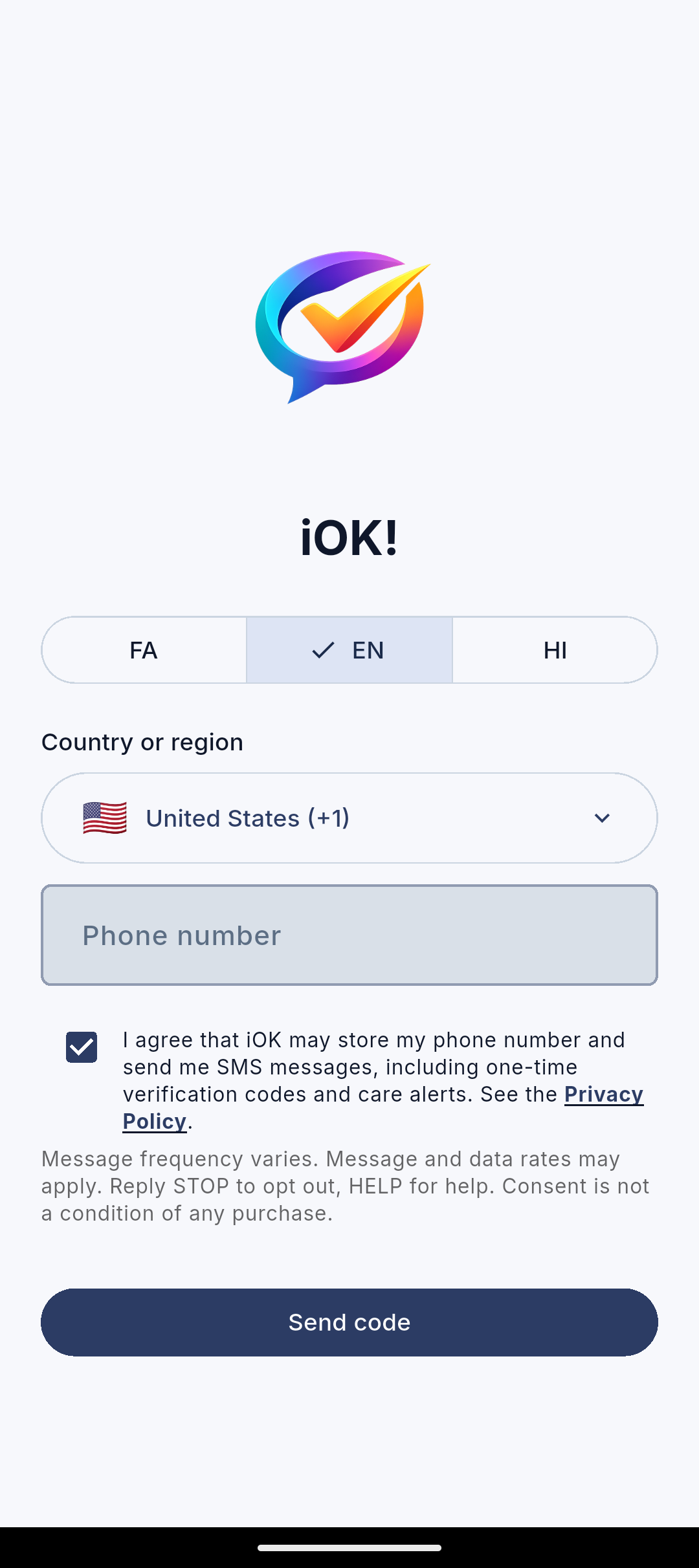
The iOK Android sign-in screen asks for permission before requesting an SMS code. You enter your own phone number, select a separate SMS consent checkbox, then tap Send code. The checkbox starts unchecked.
Screenshots from the Android app
The opt-in step in the app
These unaltered screenshots were captured from the signed iOK Android 0.2.0 review build running on a Pixel 9a emulator. No personal phone number or SMS was used. They show the same sign-in screen before and after a person selects the checkbox.
Messages and your choices
iOK uses SMS for one-time sign-in codes and, when enabled, care and status alerts. We do not use this consent for promotional messages. Frequency depends on how often you sign in and on the alerts you enable. Reply STOP to stop texts or HELP for assistance.
Read the SMS messaging details and Privacy Policy, or contact support@iok-app.com.